
PacketSnitch Themes
PacketSnitch uses a file-driven theming engine. A theme is a JSON file that overrides CSS variables and can optionally replace the app logo, apply a backdrop wallpaper, and tune panel transparency.
This guide covers:
- Where theme files live
- Theme JSON schema
- How to set app colors
- How to set a custom logo
- How to set a backdrop wallpaper
- How to control opacity and panel translucency
- How the app validates/falls back when a theme is invalid
Screenshots
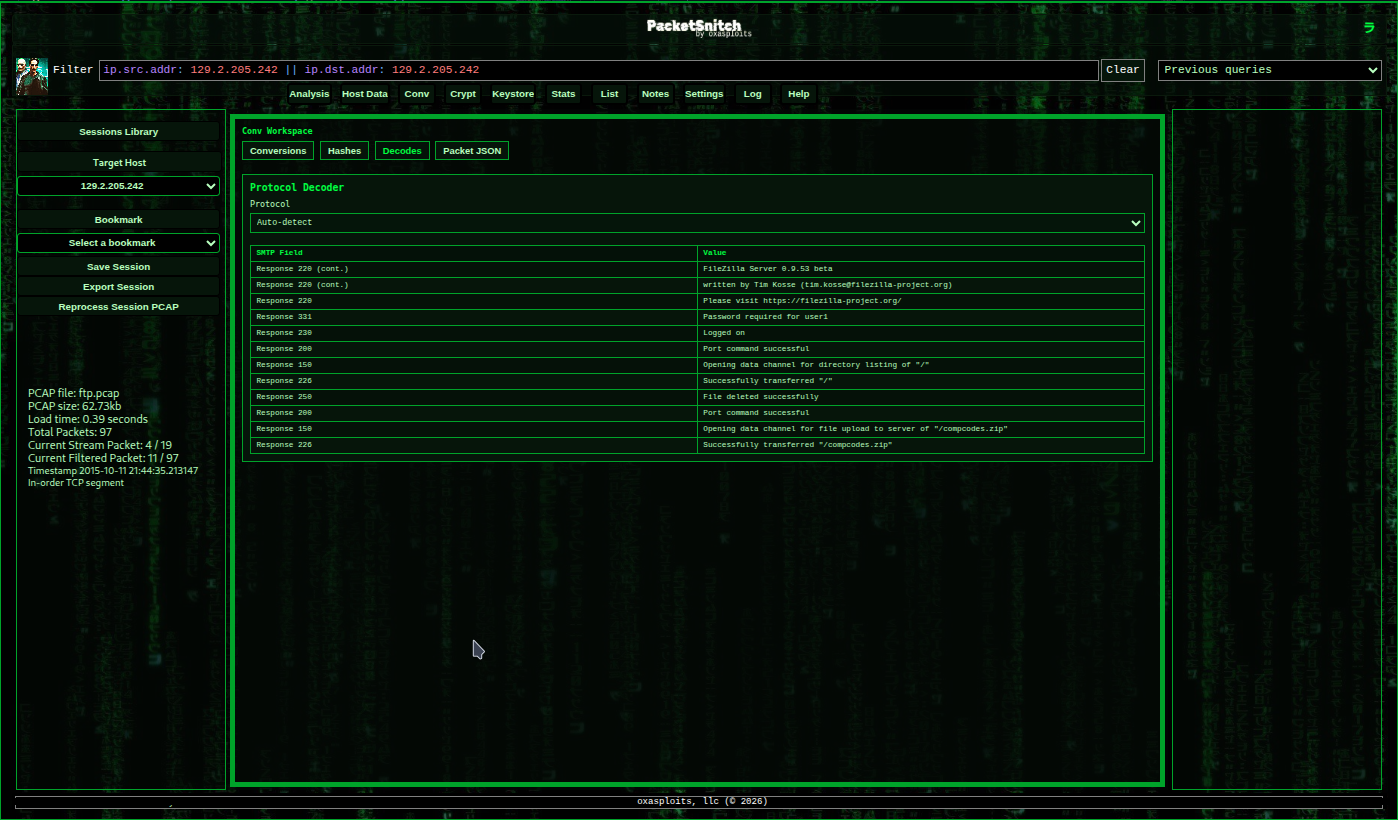
Screenshot of the "Matrix" theme.
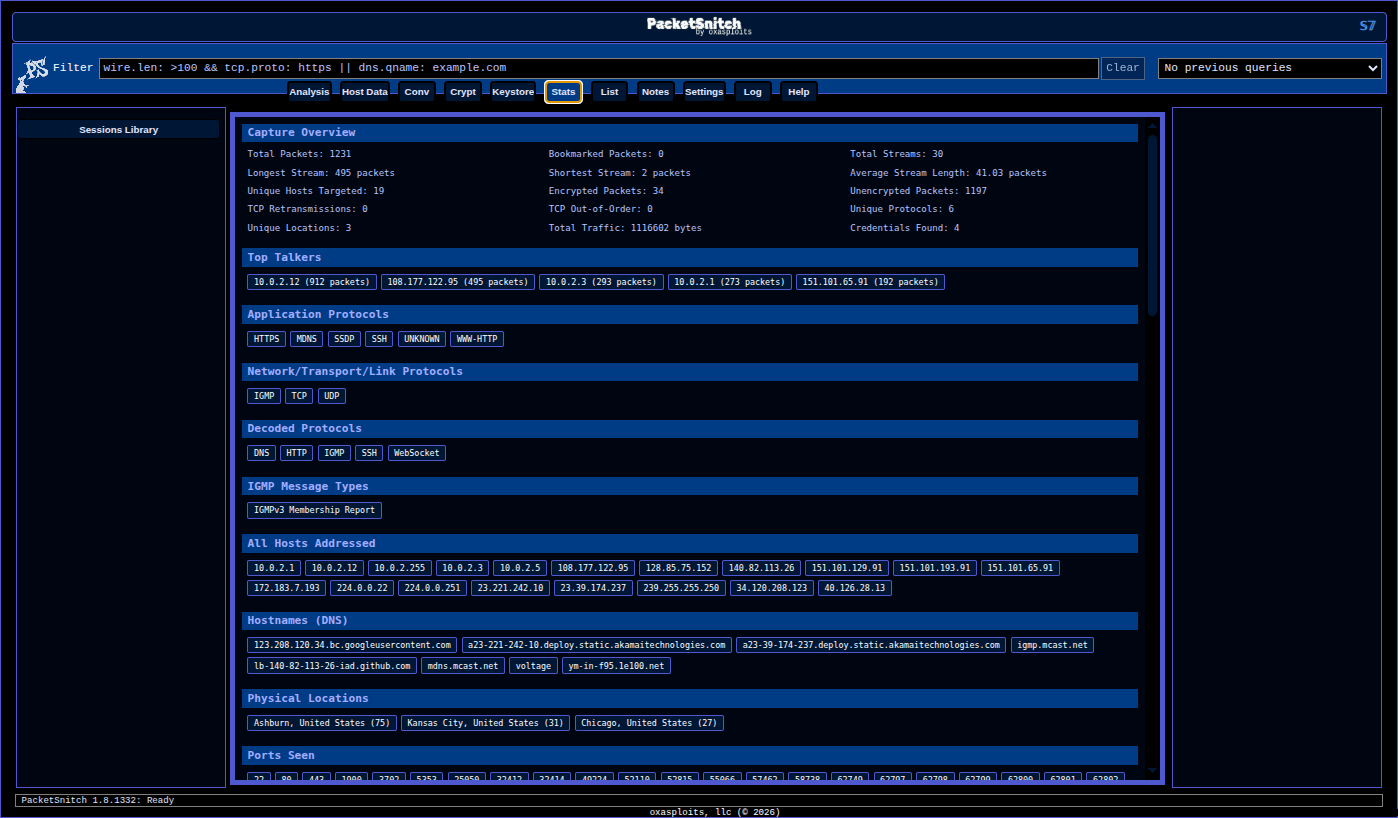
 Also a cobalt/black "Sub7" inspired theme.
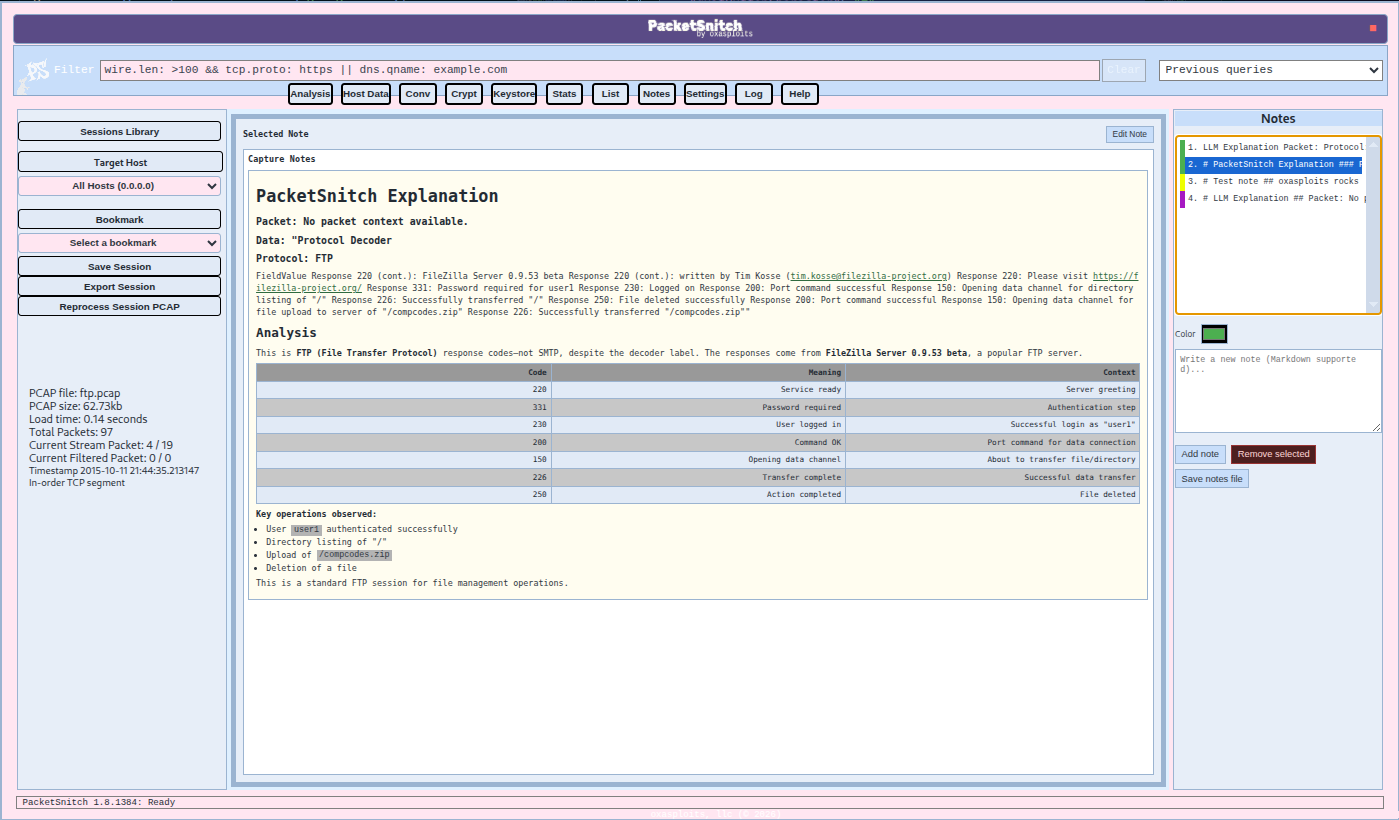
 A lighter, airy pastels theme, "Nilla Horizon".
Theme File Locations
PacketSnitch uses two theme locations:
- Windows the userdir usually resolves to
C:\Users\Username\AppData\Roaming\packetsnitch\themes\*.json. - Linux it ususally resolves to
/home/username/.config/packetsnitch/themes/*.json.
At startup, PacketSnitch ensures default themes exist in userData/themes. The Settings tab reads from this runtime directory.
In-app, open Settings → General and check the theme-directory hint text to find the exact path on your system.
Theme JSON Schema
A valid theme must have a non-empty variables object with CSS custom properties.
{
  "id": "my_custom_theme",
  "name": "My Custom Theme",
  "description": "Optional description shown in docs/source",
  "variables": {
    "--app-bg": "#101418",
    "--surface-0": "#0b0f13",
    "--surface-1": "#151c24",
    "--surface-2": "#111820",
    "--color-1": "#9ad8ff",
    "--color-5": "#d7e9f7",
    "--tab-inactive-opacity": "0.72"
  },
  "logoImage": {
    "format": "png",
    "base64": "iVBORw0KGgoAAAANSUhEUgAA..."
  },
  "backdropImage": {
    "format": "jpg",
    "base64": "/9j/4AAQSkZJRgABAQAAAQABAAD..."
  }
}
Field Rules
id: sanitized to lowercase with onlya-z,0-9,_,-name: display label shown in Settingsdescription: optional textvariables: required, must include at least one valid CSS variable key/valuequitButtonCharacter: optional single-character override for the app quit button labellogoImage: optionalbackdropImage: optional
Validation behavior:
- Only variable keys starting with
--are applied. - Variable values must be non-empty strings.
- If
variablesis empty/invalid, the theme file is ignored. - Invalid JSON files are skipped (the app continues running).
- Duplicate theme IDs are de-duplicated.
Setting App Colors
The base color system is driven by CSS custom properties in src/assets/css/style.css.
Tip: start from an existing file in themes/, then change values incrementally.
Full Variable Reference
The variables below are currently consumed by PacketSnitch styles and can be set in theme.variables.
Core Surfaces and UI Colors
--app-bg: app/page background.--surface-0: primary workspace surface.--surface-1: secondary panel surface.--surface-2: tertiary surface token (available for themes).--scrollbar-track: scrollbar track color.--border-strong: stronger border color used by major frames.--color-1: primary accent/foreground token.--color-2: secondary accent/background token.--color-2-hover: hover state for secondary accents.--color-3: common border/outline token used widely.--color-4: muted panel/background token.--color-5: primary readable foreground text token.--color-6: secondary readable foreground text token.--color-7: shared panel background token.
Header, Sidebar, Inputs, and App Chrome
--top-bar-bg: top title/tagline bar background (center logo/tagline strip).--header-text-color: heading/title text color.--sidebar-text-color: sidebar text color.--input-bg-color: text/select input background.--input-text-color: text/select input foreground.--quit-btn-color: quit button color.--quit-btn-hover-color: quit button hover color.--stats-tag-text-color: stats tag text color.--notes-link-color: markdown preview link color in notes.--notes-markdown-bg: markdown preview background color in notes.--crypt-panel-bg: crypt workspace panel background.--crypt-panel-text: crypt workspace text color.
Data Tools Workspace Variables
--data-tools-frame-bg: data tools frame background.--data-tools-frame-color: data tools frame text color.--data-tools-frame-border: data tools frame border color.--data-tools-hex-color: hex conversion accent/border color.--data-tools-binary-color: binary conversion accent/border color.--data-tools-decimal-color: decimal conversion accent/border color.--data-tools-decimal-integer-color: decimal-integer conversion accent/border color.--data-tools-ascii-color: ASCII conversion accent/border color.--data-tools-base64-color: Base64 conversion accent/border color.
Activity Log Variables
--log-bg: activity log background.--log-text: activity log text.
Typography and Layout Variables
--body-font-family: global body font family.--panel-bg-opacity: panel background opacity mix percentage (0%-100%). Lower values let the backdrop wallpaper show through panel surfaces.--tab-inactive-opacity: inactive tab opacity (string value from0to1).--sidebar-width: sidebar width token used in layout sizing.
Internal Utility Tokens (Usually Leave Alone)
These are internal sizing helpers used by the filter input/clear button layout.
--filter-clear-button-width--filter-clear-padding--filter-clear-right-offset
You can override them, but values that are too small/large may cause overlap or clipping in the filter controls.
Custom Logo
You can set a per-theme logo with logoImage.
Supported formats:
pngjpg(orjpeg, normalized tojpg)
Supported payload fields:
logoImage.base64logoImage.data
If a data URI prefix is included (for example data:image/png;base64,...), PacketSnitch strips it automatically.
Example:
"logoImage": {
  "format": "jpg",
  "base64": "/9j/4AAQSkZJRgABAQAAAQABAAD..."
}
If logoImage is missing or invalid, PacketSnitch falls back to the default app logo.
Optional Backdrop Wallpaper
You can set a full-app backdrop wallpaper with backdropImage.
This image is rendered in the dedicated backdrop layer behind the full UI stack.
Hint: Animated .png images (APNG format) are supported by the theme engine, however, I just personally think they are too distracting to be practical in this use case.
Supported formats:
pngjpg(orjpeg, normalized tojpg)
Supported payload fields:
backdropImage.base64backdropImage.data
Example:
"backdropImage": {
  "format": "jpg",
  "base64": "/9j/4AAQSkZJRgABAQAAAQABAAD..."
}
If backdropImage is missing or invalid, PacketSnitch shows no wallpaper and uses standard theme backgrounds only.
Opacity Controls
Theme opacity is controlled with CSS variable values where supported.
Most useful controls:
--tab-inactive-opacity: inactive tab button opacity (0to1)--panel-bg-opacity: major panel/chrome background mix percentage (0%to100%) used to let backdrop wallpaper show through
Example:
"variables": {
  "--tab-inactive-opacity": "0.60",
  "--panel-bg-opacity": "84%"
}
Recommended starting points:
--panel-bg-opacity: "80%"to"92%"for subtle translucency--tab-inactive-opacity: "0.55"to"0.75"for readable but dimmed inactive tabs
Build and Test Workflow
- Copy an existing theme JSON in
packetsnitch/themes. - Rename file and update
id/name. - Modify
variables(and optionallogoImage/backdropImage). - Open Settings → General and select your theme.
- Save settings.
- If needed, reopen Settings or restart the app to refresh newly added files.
Troubleshooting
Theme does not appear in Settings:
- Confirm file extension is
.json. - Confirm JSON is valid.
- Confirm
variablesexists and has at least one--variablestring value. - Confirm the file is in
~/.config/PacketSnitch/themesorC:\Users\Username\AppData\Roaming\packetsnitch\themes. - Make sure the variables are in the correct places in the json, check all commas are where they should be, and make sure variables are not duplicated.
Theme appears but styles do not change:
- Confirm variable names exactly match CSS variable names used by the app.
- Confirm values are valid CSS strings (
#hex,rgb(...), numeric string for opacity).
Logo does not render:
- Confirm
formatispng,jpg, orjpeg. - Confirm base64 payload is valid and non-empty.
- Remove line breaks/whitespace from base64 if needed.
- A good way to get a valid base64 for an image is:
cat image.png | base64 -w0 | wl-copy
Backdrop wallpaper does not render:
- Confirm
backdropImage.formatispng,jpg, orjpeg. - Confirm
backdropImage.base64is valid base64. - If using custom runtime themes, ensure you edited the active file in
userData/themesand restart the app if needed.
Wallpaper renders but is hard to notice:
- Lower
--panel-bg-opacity(for example from100%to70%). - Ensure your panel surfaces are not fully opaque overrides in the selected theme.